

Best eSIM USA Plans
Select your perfect data plans to enjoy 4G LTE

Unlimited with Calls
 4.79 999+ sold
Valid for 5-90 days
Starts at
 25.99USD
Unlimited Data
4.23 735 sold
Valid for 7-30 days
Starts at
 11.99USD
5GB
4.12 658 sold
Valid for 15 days
18.65
13.99USD
Why ESIMUSA.com is Best for USA eSIM
|
| Discover the reliability of 4G LTE speed from the local network. Explore the States with swift data. |

|
| Say goodbye to disconnection worries and use your time wisely with our seamless data service. |

|
| Enjoy the freedom to use your hotspot. Stay connected, stay close, and cherish the moments together. |

|
| Keep your home number for calls and SMS from your country, while enjoying reliable internet with our plan in America. |

|
| Leave behind the hassle of contracts and welcome a one-time prepaid eSIM experience. |

|
| Be a smart consumer by choosing the data plan at an unbeatable price instead of a costly roaming fee. |

For Multi-Country travelers
Multi-Country Plans cover multiple destinations
eSIM Global Unlimited
from $3.99 USD
eSIM USA & Canada Unlimited
from $12.99 USD

eSIM USA & Mexico Unlimited
from $13.99 USD
eSIM USA-Asia-Australia
from $15.99 USD
For city travelers
City Plans connect to the best local network
eSIM Hawaii
from $3.99 USD

eSIM New York City
from $3.99 USD
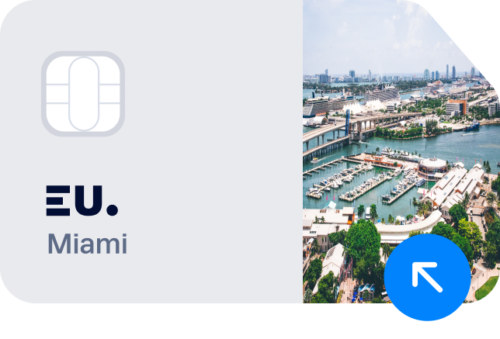
eSIM Miami
from $3.99 USD

eSIM Los Angeles
from $3.99 USD
For travelers to the U.S. Territories
US Territories Plans connect to the best local network
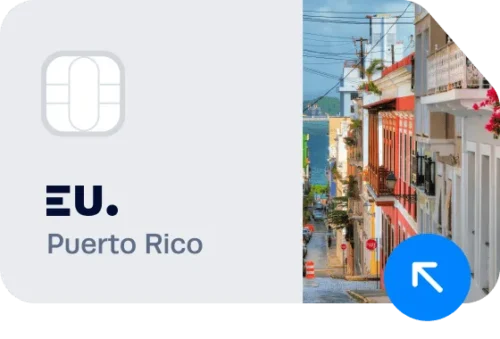
eSIM Puerto Rico
from $11.99 USD
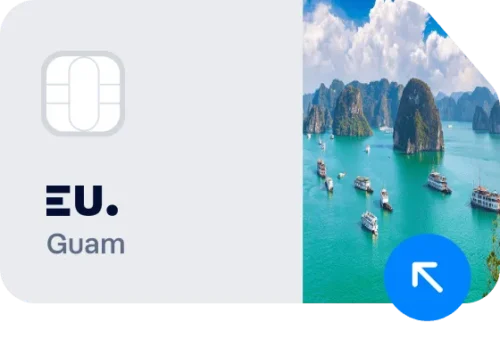
eSIM Guam
from $11.99 USD
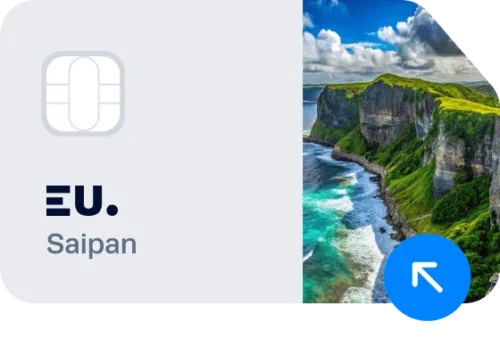
eSIM Saipan
from $11.99 USD
eSIM Virgin Islands
from $11.99 USD
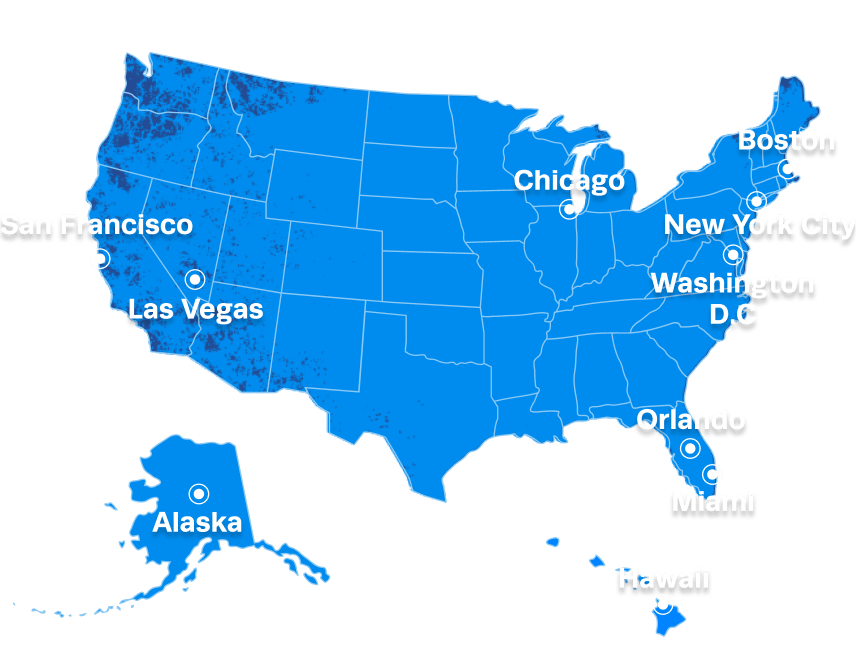
Our Local Network provides coverage
99% of the time in the USA
ESIMUSA.com offers reliable service on the T-mobile’s network.
You’ll enjoy 4G LTE speed data almost everywhere you travel in the USA.
ESIMUSA.com VS. other eSIM providers
 |
A Provider | H Provider | S Provider | |
|---|---|---|---|---|
| Unlimited data |  Truly unlimited, no speed cap |
X No Unlimited data |
△ Unlimited with speed cap |
△ Unlimited with speed cap |
| Local phone number |
US phone number |
✔ US phone number |
X Data only |
X Data only |
| Network | T-mobile local network | Roaming | Roaming | Roaming |
| City eSIM Plan | |
X | X | X |
| Live support | Replies in 3 min |
X | X | X |
| 3–Month Money– Back Guarantee |
|
X | X | X |
Our 24/7 specialists are here to help you
Begin your trip with peace of mind. Thanks to our dedicated customer support team, wherever you are in the world, you can get help by reaching out to us via email or WhatsApp.
 |
Receive assistance within just 5 minutes. |
|
Talk to real human support, not an automated response. |
|
Get practical and real solutions from knowledgeable experts. |
What Travelers Are Saying About our eSIM in the USA
Finnur Thorgeirsson
 Verified owner
Works so far as promised! Easy setup. You need to have WiFi while downloading the eSim, so do it at the airport on arrival.
2 months ago

James Everett Kochheiser
Verified ownerI've used this service now in Thailand, Singapore, and the USA over the past 18 months. All I can say about this company and their product is that it works absolutely flawlessly and that the support is both highly (quickly) responsive when I have had questions... and I look forward to using their service for yet a fourth time when we travel to Hong Kong and Macau in 2027. That's the best review I can give! However, the VALUE I received is bar none the best when it comes to traveling. The service has been 100% high-quality, crystal clear, and constant in both voice quality and data continuity. I would NEVER think of leaving home for a trip without these services. I certainly would not want to try anyone else's services after having had three incredibly easy and reliable success stories that only complemented my travels.
3 months ago
Amy C.
Verified ownerIt works well and although I have had challenges with set up on arrival in the US, the customer service team are very fast and efficient in their support.
5 months ago
Anonymous
Verified ownerEasy to install and use. Thanks for no limit on hotspot
7 months ago
Anonymous
Verified ownerWorks as expected. I only forgot to enable roaming on my first day, so it did not work. Once I figured that out, everything worked like a charm.
9 months ago

Samuel Nuñez
Verified ownerIt worked perfectly. I used it in NoMa Washington DC
10 months ago




ESIMUSA.com is the No.1 USA eSIM provider for travelers in the USA. Enjoy fast and reliable USA data at the lowest price, trusted by 9,999+ reviews. AT&T and T-Mobile carriers & No signup or App download is required.
ESIMUSA.com welcomes you to an unforgettable journey in the United States. Whether you’re exploring iconic landmarks in New York City, relaxing on sun-kissed Miami beach, or discovering the natural wonders of the Grand Canyon, ESIMUSA.com ensures you’re always connected, so you can savor every extraordinary moment.
Our 24/7 customer support is right next to you to help with any issues that you might encounter during your trip. Leave all the concerns to us and plan your trip to America now. Make the most of your journey with our reliable and hassle-free eSIM.
First time using eSIM for your trip to USA?

Count on us for your stress-free eSIM experience.
01
What is eSIM?
eSIM, a digital embedded SIM, allows travelers to use overseas mobile data while maintaining their physical SIM cards. Do not have to wait in lines for physical SIM cards anymore because our swift eSIM data plans are directly emailed within 5 to 10 minutes after payment. Keep your physical SIM and enjoy messages and calls from home. With a quick QR code scan, begin your remarkable journey to the States using our outstanding eSIM data plans.
02
Is my device compatible?
Check if your device is compatible with our advanced eSIM technology, offering a seamless connectivity solution. While most GSM-friendly devices are eSIM-compatible, compatibility can vary based on location and carrier. For iOS users, devices released after the iPhone XR generally work well with our eSIM, with the exception of those manufactured in Hong Kong or China. Among Android devices, recent Samsung Galaxy and Google Pixel models are usually compatible, although this hinges on the model, manufacturing location, and carrier. To confirm compatibility, see our comprehensive list of supported devices below.
Apple iPhone
✓ Compatible device
iPhone Air
iPhone 18, 18 Pro, 18 Pro Max
iPhone 17, 17 Pro, 17 Pro Max
iPhone 16, 16 Plus, 16 Pro, 16 Pro Max
iPhone 15, 15 Plus, 15 Pro, 15 Pro Max
iPhone 14, 14 Plus, 14 Pro, 14 Pro Max
iPhone SE3 (2022)
iPhone 13, 13 Pro, 13 Pro Max, 13 Mini
iPhone 12, 12 Pro, 12 Pro Max, 12 Mini
iPhone 11, 11 Pro, 11 Pro Max
iPhone SE2 (2020)
iPhone XR, iPhone XS, XS Max
(Recommended iOS version: iOS 13.3 or later)
! Incompatible Device
iPhone purchased from mainland China
iPhone purchased from Hong Kong and Macao (except for iPhone 13 mini, iPhone 12 mini, iPhone SE 2020, and iPhone XS)
Samsung Galaxy
✓ Compatible device
Galaxy S26 5G, S26 Ultra 5G, S26+ 5G
Galaxy S25 5G, S25 Ultra 5G, S25+ 5G
Galaxy S24 5G, S24 Ultra 5G, S24+ 5G, S24 FE
Galaxy S23 5G, S23 Ultra 5G, S23+ 5G
Galaxy S22 5G, S22 Ultra 5G, S22+ 5G
Galaxy S21 5G, S21 Ultra 5G, S21+ 5G
Galaxy S20, S20+, S20 Ultra 5G
Galaxy Note 20, Note 20 Ultra, Note 20 Ultra 5G
Galaxy Note 20+, Note 20 FE, Note 20 FE 5G
Galaxy Fold, Z Fold 2, Z Fold 3, Z Fold 4 5G, Z Fold 5, Z Fold 6, Z Fold 7, Z Fold 8, Z Fold8 Ultra
Galaxy Z Flip, Z Flip 3 5G, Z Flip 4 5G, Z Flip 5, Z Flip 6, Z Flip 7, Z Flip 8
Galaxy A23 5G, A35 5G, A54 5G, A55 5G
! Incompatible Device
All Samsung S20 FE/S21 FE models
S20/S21 and Galaxy Z Flip 5G from USA
Note 20 Ultra and Galaxy Z Fold 2 from USA and Hong Kong
Google Pixel
✓ Compatible device
Pixel 10, Pixel 10 Pro, Pixel 10 Pro XL, Pixel 10 Pro Fold, Pixel 10a
Pixel 9, 9Pro, 9Pro XL
Pixel 8, 8Pro
Pixel 7, 7Pro
Pixel 6, 6a, 6Pro
Pixel 5, 5a
Pixel 4, 4a, 4XL
Pixel 3, 3XL
Pixel 3a, 3aXL
! Incompatible Device
Pixel 3 models manufactured from Australia, Taiwan, and Japan
Pixel 3 models bought from US or Canadian carriers other than Sprint and Google Fi
Pixel 3a models bought in South East Asia and with Verizon service
Xiaomi
✓ Compatible device
Xiaomi 17, Xiaomi 17 Pro, Xiaomi 17 Ultra, Xiaomi 17 Lite
Xiaomi 15
Xiaomi 14, 14 Pro, 14T, 14T Pro
Xiaomi 13, 13 Lite, 13 Pro, 13T, 13T Pro
Xiaomi 12T Pro
Redmi Note 14 Pro, 14 Pro+
Redmi Note 13 Pro, 13 Pro +
Redmi Note 11 Pro 5G
! Incompatible Device
Xiaomi purchased from mainland China, Hong Kong and Macao
Motorola
✓ Compatible device
Moto G, G85, G55, G54, G53 5G, G35
Moto G Power
Moto G Stylus 5G
Edge 50 Fusion, 50 Pro, 50 Neo, 50 Ultra
Edge 40 Pro, 40 Neo
Edge+
Razr 40 Ultra
Razr 2024
Razr+ 2024
Razr 2022
Razr 2019
Razr 5G
Razr 50
ThinkPhone 25
! Incompatible Device
Motorola purchased from mainland China, Hong Kong and Macao
OnePlus
✓ Compatible device
OnePlus 15
OnePlus 13
OnePlus 12
OnePlus 11
! Incompatible Device
OnePlus purchased from mainland China, Hong Kong and Macao
03
Why choose eSIM over other options?
How does eSIM for USA work?

Get eSIM at your fingertips, Get ready for your USA trip!
Step 1
Pick a plan
Choose the plan that suits your travel needs and place an order.
Step 2
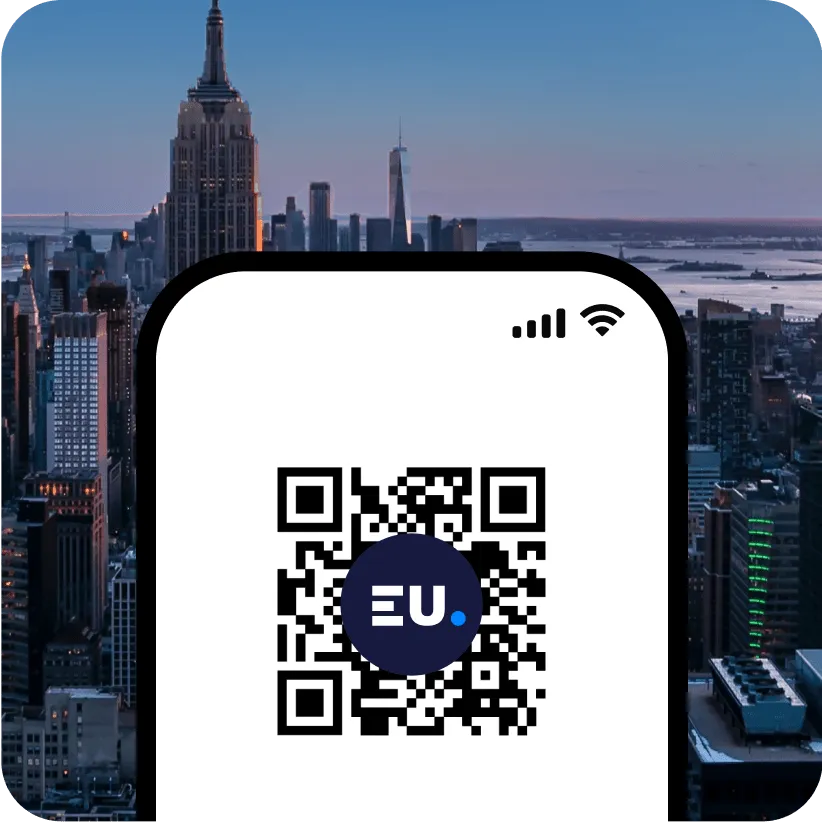
Scan the QR code
Receive the QR code via email and instantly scan it to activate.
Step 3
Ready to go!
Have a light and enjoyable trip without any data concerns.
Frequently Asked Questions about eSIM USA
Is eSIM available in the USA?
Yes, eSIM is available in the USA as long as you have a compatible and unlocked device.
To verify the compatibility of your device, you can visit our website and check the list of compatible models here.
To determine if your device is locked, follow the instructions based on your phone’s brand:
- For Apple Devices:
- Go to [Settings] – [General] – [About] and scroll down.
- If you see “Network Provider Lock – No SIM restrictions” and “Digital SIM – IMEI (number will appear),” your phone is compatible with eSIM.
- If you see “SIM restrictions,” your phone does not support eSIM.
- For Samsung & Google Devices:
- Go to [Settings] – [Connections] – [Mobile networks].
- Select [Networks operators]
- If multiple available networks appear, your phone is likely unlocked and compatible with eSIM.
- If only one result is displayed, or the option to search for networks is unavailable, your phone is probably locked to a carrier. In this case, you will need to unlock your phone through your domestic carrier before using the eSIM.
Which is the best eSIM package for the USA?
The best eSIM package depends on your data requirements, coverage area, and duration of stay. Consider the following options:
- eSIM USA Unlimited Plans: These plans offer various validities from 7 to 30 days and unlimited data at reduced speeds (384 kbps) after using all the high-speed data provided in 4G LTE.
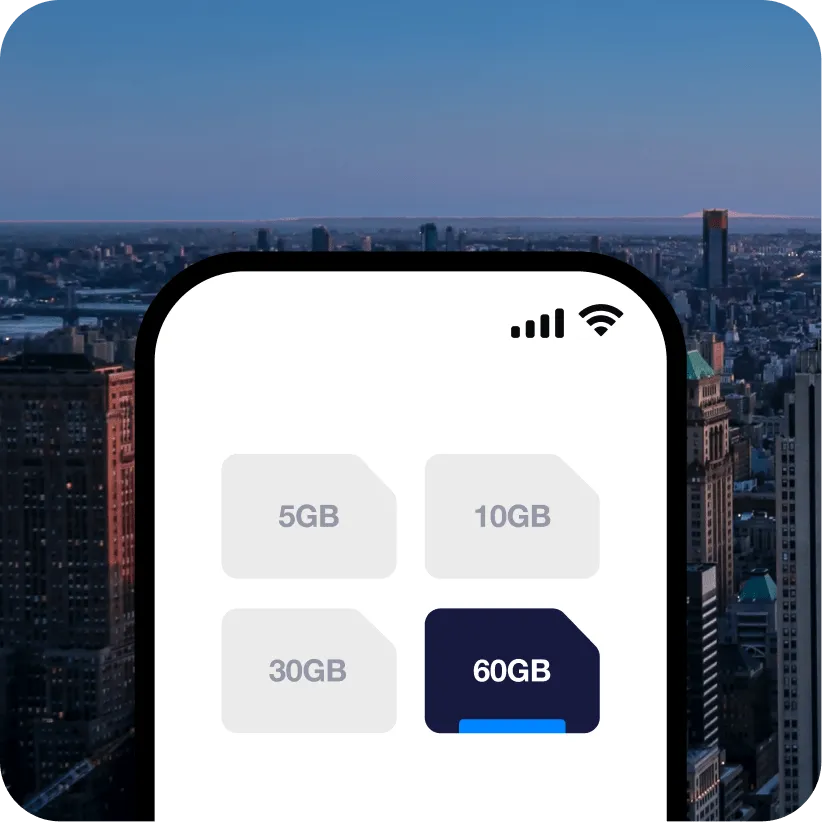
- eSIM USA Fixed Plans: These plans provide constant and reliable 4G LTE with data allowances ranging from 5GB to 30GB. Validities are available for 15 days only for 5GB and 30 days for others.
- eSIM USA & Canada Plans: Suitable for travelers visiting both the USA and Canada, offering coverage in both countries.
Before making a decision, carefully review the details and terms of each eSIM plan. If you need personal help in choosing the perfect plan, do not hesitate to contact the ESIMWORLD.net team at [email protected]
How do I buy eSIM in the USA?
You can purchase a reliable and affordable eSIM for your trip at ESIMUSA.com.
Simply choose the perfect plan for your trip and complete your payment securely in USD.
While you can purchase and activate your eSIM at any time, we recommend doing so before your trip. Here are the reasons why:
Strong Wi-Fi Connection: Activating your eSIM requires a stable internet connection. By activating it before your trip, you do not have to worry about looking for WiFi.
Validity Period: The validity of various eSIM plans may start either upon activation or upon connecting to the local network. For example, nationwide, city, and global plans typically begin their validity when the eSIM connects to the local network in your destination country. On the other hand, eSIM USA-Asia-Australia plan begins their validity from the moment of activation.
Does the eSIM plan support voice calls and SMS?
With the eSIM USA Unlimited Data & Calls, you can make phone calls. You may find the number in the eSIM settings once installed. For detailed information, please refer to the product page.
Please note that, aside from eSIM USA Unlimited Data & Calls, other plans are data-only and do not include a local phone number. As a result, calls and SMS are not available with these plans.
However, you can use messaging apps like WhatsApp or Skype to make calls using your data plan.
How long should I wait for eSIM QR Code after payment?
Once your payment is completed, you can expect to receive the eSIM QR code via email within 5 to 15 minutes. However, delivery times may vary depending on your email provider and network conditions. If you haven’t received the eSIM QR code within 15 minutes, please follow these steps:
- Check Spam or Promotion Folder: Sometimes, the email might be filtered to your spam or promotion folder instead of your primary inbox. Please check these folders to see if the email is there.
- Email Address Accuracy: Ensure there were no typos in the email address you provided. If you suspect an error, contact us at [email protected] for further assistance.
- Email Linked to Payment: The QR code is sent to the email associated with your payment method. Please check that inbox as well.
How do I get assistance from ESIMWORLD.net Team?
For any assistance or queries, please don’t hesitate to reach out to us at [email protected] or via WhatsApp. Our dedicated customer support team is available 24/7. Feel free to contact us, and we’ll be more than happy to assist you with any issues or concerns related to your eSIM plan or usage.
Can I keep my WhatsApp number?
Yes, you can keep your WhatsApp number along with all your conversations and contacts when using an eSIM.
Do I need to enable data roaming for eSIM?
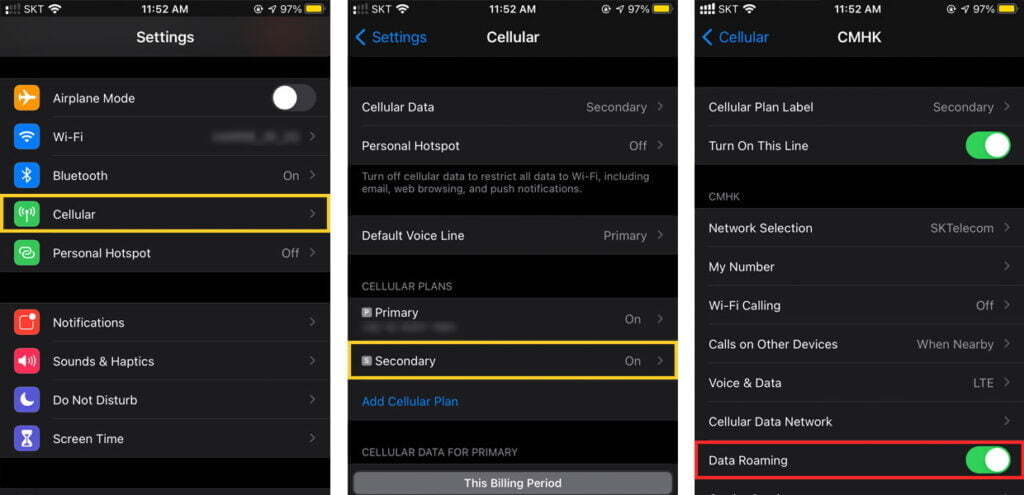
Yes, for using the eSIM plan, it’s essential to turn on data roaming for the secondary line (the eSIM plan you’ve added). To enable data roaming, follow these steps:
- For Apple Devices:
- Go to [Settings] – [Cellular]
- Tap [Secondary] (the eSIM plan you’ve added)
- Ensure [Data Roaming] is turned ON
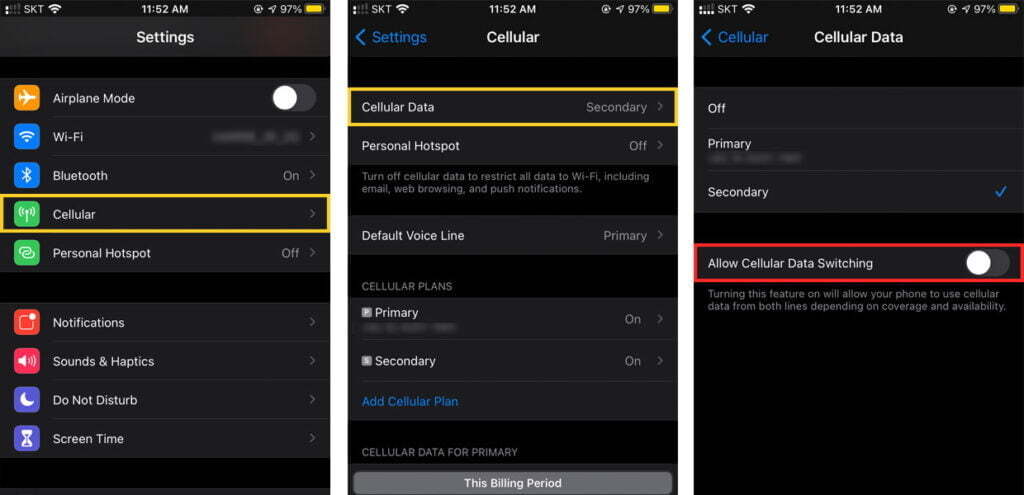
In addition, to avoid additional fees, make sure to disable the automatic switching of lines by following these steps:
- For Apple Devices:
- Go to [Settings] – [Cellular]
- Tap [Cellular Data]
- Make sure [Allow Cellular Data Switching] is turned OFF
Furthermore, it’s a good idea to check with your domestic carrier if they offer any “Blocked charged international roaming” services to ensure you have the most suitable data options while using the eSIM plan.
What should I do if I encounter the message "No network" after activating the eSIM plan?
If you see the “No network” message following a successful eSIM activation, please follow these steps to troubleshoot the issue:
- Check Data Roaming: Ensure that [Data Roaming] is turned on for the eSIM plan. You can usually find this setting in your device’s network or cellular settings. Without data roaming enabled, your eSIM might not connect to the network.
- Restart Your Phone: Try restarting your phone to refresh the network settings and establish a connection with the eSIM network.
- APN Settings: If your eSIM plan requires manual APN (Access Point Name) settings, you’ll receive instructions on how to set it up after payment. Follow the provided instructions carefully to enter the correct APN information in your device manually.
If you have completed all these steps and issues persist, please contact our support team at [email protected] for further assistance.
How do I know if the eSIM is activated?
To determine if your eSIM is activated, you can check for the following two indicators:
- Look for eSIM Profiles: Go to your device’s eSIM settings, where you should find a list of available profiles or plans. If your eSIM is successfully activated, you will see an active profile without a phone number listed among the available options.
- Signal and connectivity: If your eSIM is activated and connected to a cellular network, you should observe signal bars or indicators in your device’s status bar. Additionally, you might see the carrier name associated with the eSIM, confirming its activation and network connectivity.
Can I reinstall the eSIM?
For most eSIM plans, you can delete and reinstall them as needed. However, please note that once you activate the eSIM USA-Asia-Australia plan on your device, it cannot be reinstalled. If you encounter any issues or have concerns, please refrain from deleting the eSIM plan on your own. Instead, we recommend reaching out to us at [email protected] for assistance and support.
Should I turn off my original SIM?
We recommend turning off your original SIM to avoid incurring data roaming charges from your domestic carrier while using the eSIM. By deactivating the original SIM, you ensure that your device solely relies on the eSIM for data connectivity in your travel destination.
However, if you still need to receive calls and SMS on your home number while using the eSIM, you can keep the original SIM active. In this case, we recommend you disable the “Automatic Cellular Data Switching” feature on your device. This prevents unintended data usage, ensuring that data traffic is directed through the eSIM plan and not the original SIM.
How can I check my data balance?
Please contact us at [email protected] to determine the exact data usage for your specific plan.
However, you can check approximate data usage on your device’s Settings. The process differs based on your device’s manufacturer:
- For Apple Devices:
- Go to [Settings]
- Navigate to [Cellular/Mobile Data]
- The amount of data used can be found under “Current Period Roaming”.
- Alternatively, you can visit the Apple website here for more detailed instructions. Another option is to dial 1019# and place a call to see your data usage.
- For Samsung Devices:
- Go to [Settings] – [Connections]
- Tap [Data usage]
- The amount of mobile data you have used will be displayed.
- Alternatively, you can also dial 1019# and call to check your data usage.
- For Google Devices:
- Go to [Settings] – [Network & Internet] – [Internet]
- Next to your operator, tap [Settings]
- At the top, you’ll see the total data you have used.
How do I know when my eSIM expired?
If you would like to know when your eSIM will expire, you can simply ask us at [email protected] For Fixed Plans, once the eSIM expires, you will no longer have an internet connection.
Can I get a refund for my eSIM purchase?
Unfortunately, refunds are not available for activated eSIMs with data usage. Once the eSIM has been activated and data has been used, it falls under our policy that does not allow refunds for such cases. We encourage customers to carefully review their plan details before proceeding to avoid any inconvenience.

